
How to Fuse in Ride a Pet
To fuse in Ride a Pet, find the FUSE MACHINE near your base, place four Legendary or higher-rarity pets into its containers, and pay the cash fee to start a fusion. This guide walks through placing your pets, checking the cost, and confirming the process.
What you need before fusing
- Four pets of Legendary rarity or higher. You can browse the Ride a Pet pets database for pet information.
- Enough cash to cover the fusion fee. Check the amount displayed by the machine before confirming.
Choose your pets carefully: the confirmation window warns that the four pets you use will be lost forever.
1. Find the Fuse Machine near your base
Look for the machine labeled FUSE MACHINE near your base. Walk over to it with the pets you want to use for fusion.
2. Place four Legendary or higher-rarity pets
Fill the machine's four containers, placing one pet at a time:
- Take out the pet you want to place.
- Walk up to one of the four containers beside the FUSE MACHINE.
- Click Place when the interaction prompt appears.
- Repeat with the remaining pets until all four containers are filled.
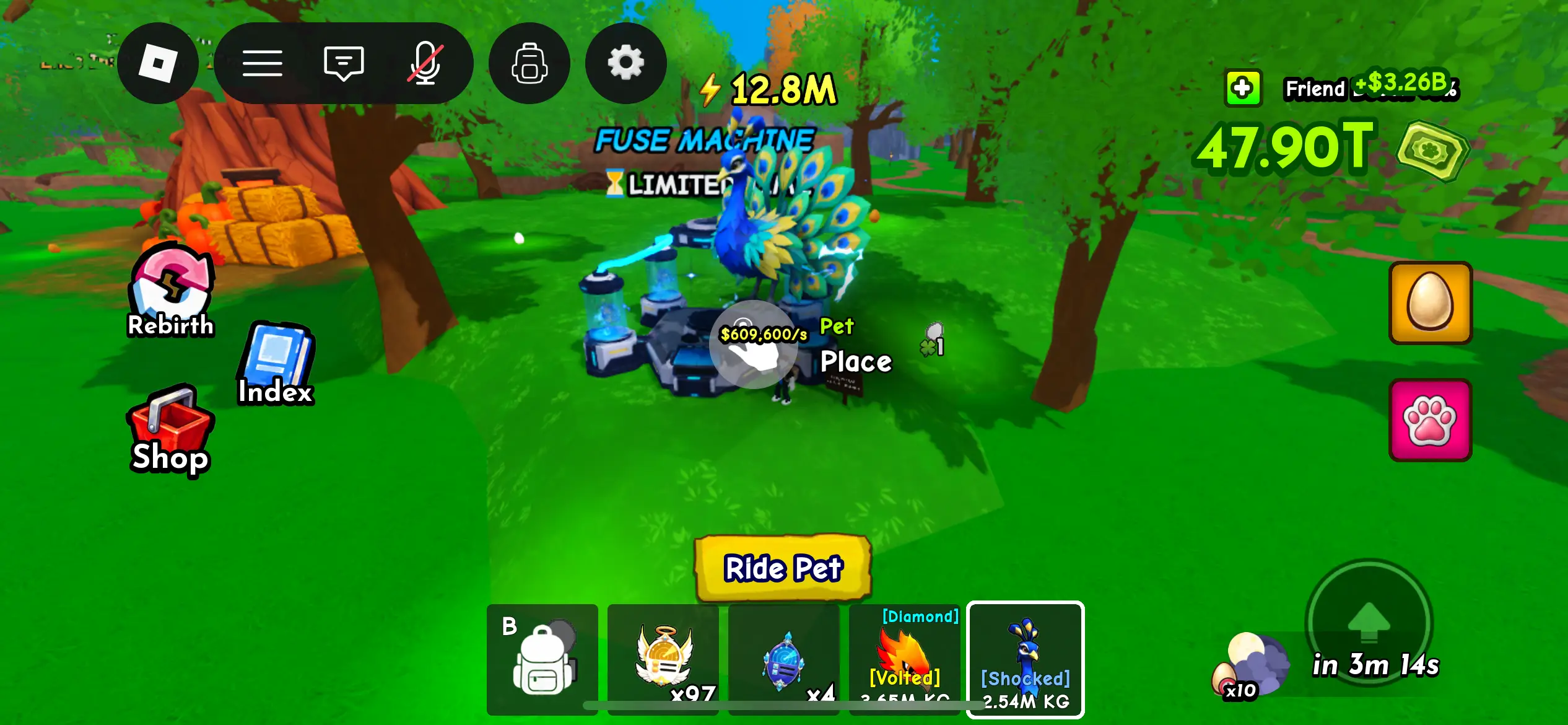
Figure 1: Take out a pet, approach a container, and click Place.
3. Review the fusion fee and click FUSE
Once all four pets are placed, review the Fusion window. Check the pets listed under Pets to Fuse, the possible results, the fusion time, and the cash cost before continuing.
Fusion requires a large cash payment. The example in Figure 2 shows a $2.5T cost and a 30-minute fusion time. Use the amount and time displayed in your own game when planning your fusion.
When you are ready to pay the displayed fee, click FUSE to open the confirmation window.
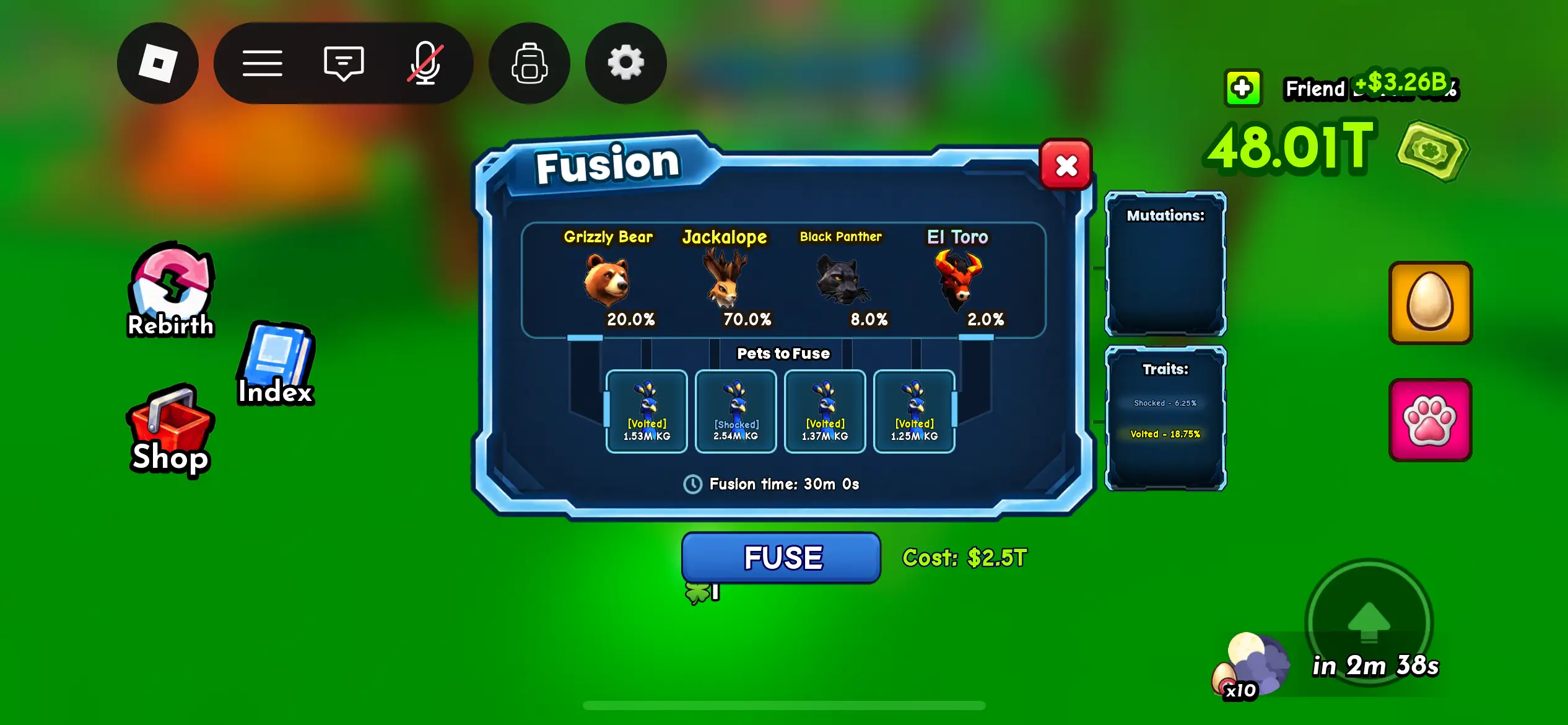
Figure 2: Review your four pets and the displayed cash fee before clicking FUSE.
4. Confirm the fusion
The “U SURE?” window shows the four pets again and warns that they will be lost forever. Double-check that these are the pets you want to use.
Click FUSE to confirm and begin the fusion. If you want to reconsider, click RETURN instead.
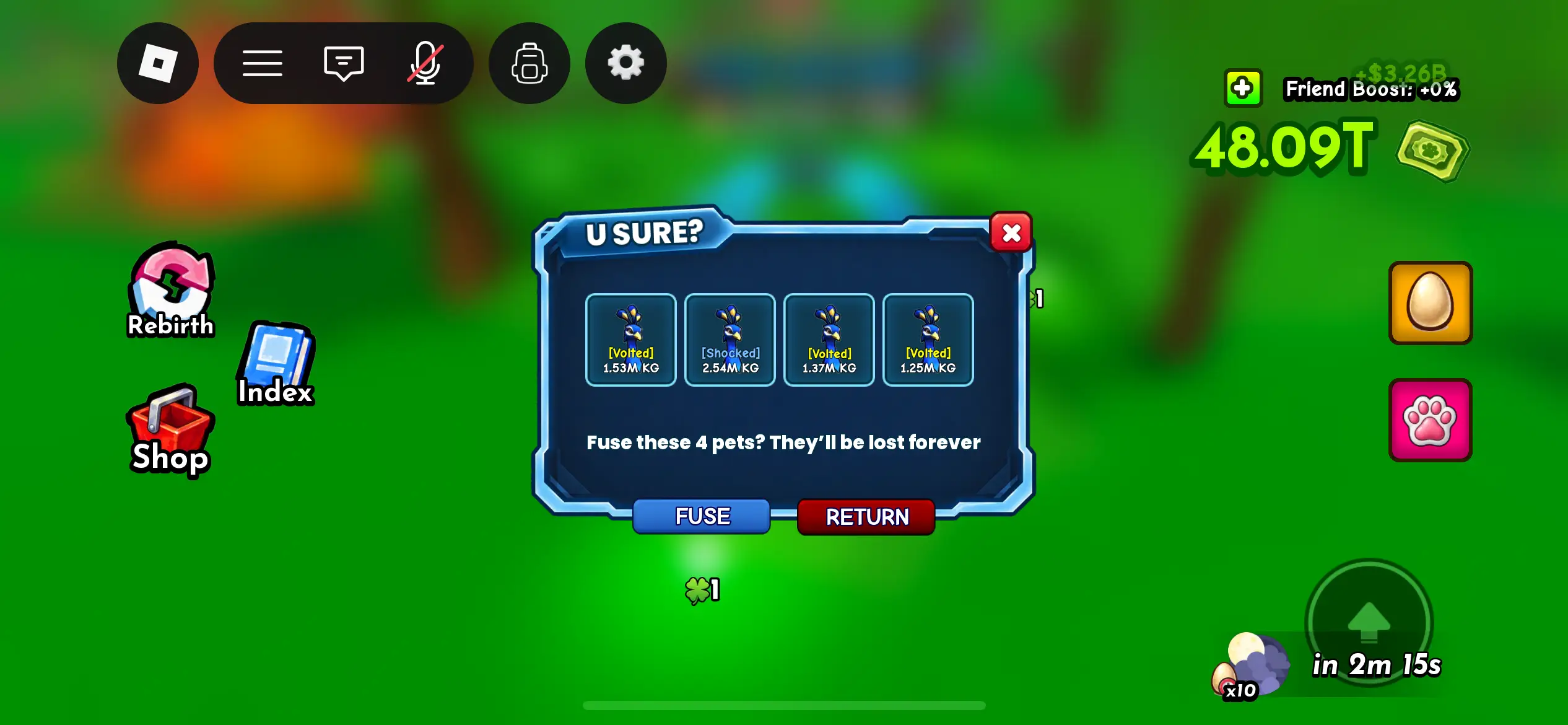
Figure 3: Confirm with FUSE, or choose RETURN to go back.
More Ride a Pet guides
- Pets database — Browse pet information before choosing your fusion pets.
- How to use a Name Tag — Learn how to give a pet a name at your ranch.
- Black Hole Egg locations — Explore places to search for a Black Hole Egg.
- All Ride a Pet guides — Find more walkthroughs and gameplay tips.